
Creating a digital product for site supervisors in the construction sector requires an intuitive interface tailored to on-site challenges such as real-time communication, progress tracking, and safety compliance. The solution must integrate seamlessly with existing project management tools while offering mobile accessibility to support supervisors in dynamic environments. Prioritizing features that enhance efficiency, accountability, and data accuracy is essential for meeting industry demands. Explore the article for detailed ideas on designing the perfect digital product for construction site supervisors.
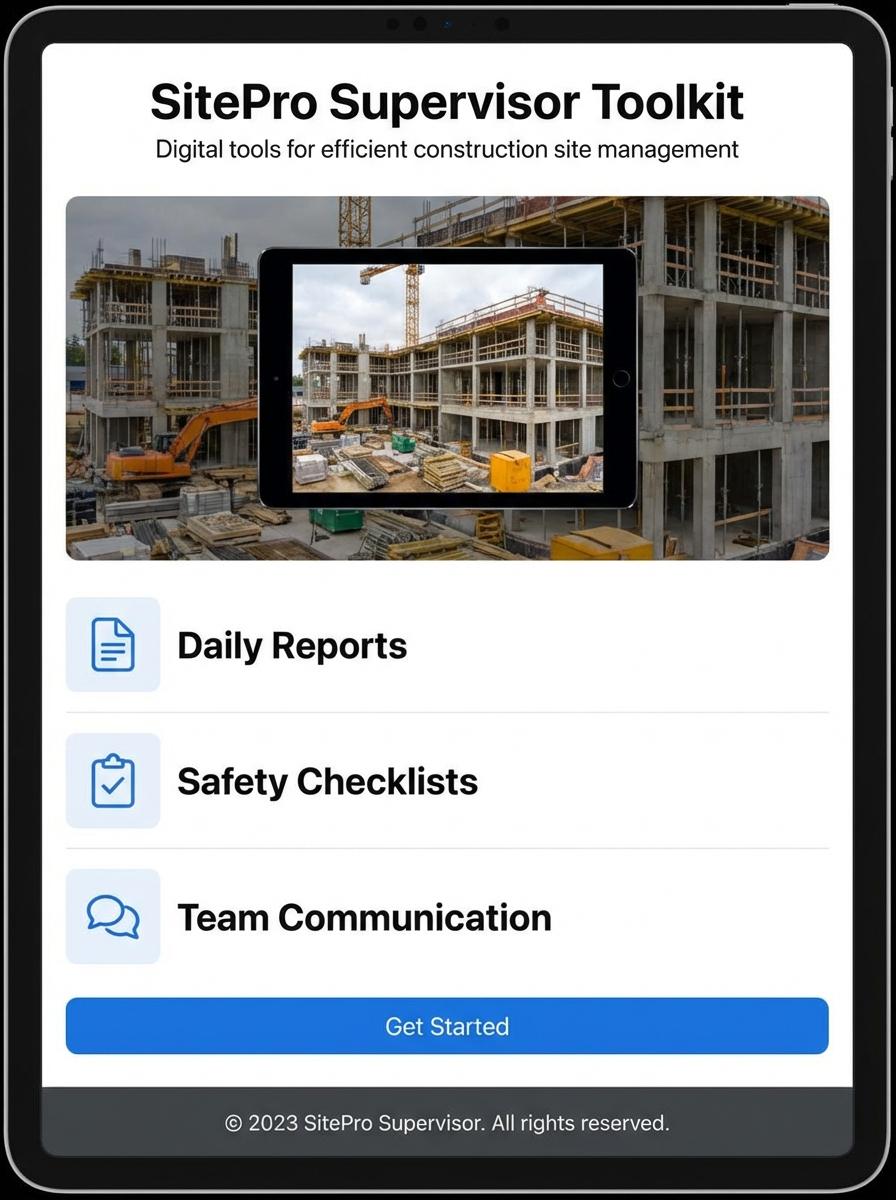
Illustration: Landing page for digital product for Site supervisor
Daily Site Inspection Checklist (Excel/PDF)
Daily Site Inspection Checklist is an essential digital tool designed for site supervisors to efficiently monitor and document site conditions. This Excel/PDF product streamlines the reporting process by integrating critical inspection points such as safety compliance, equipment status, and progress tracking. Its structured format facilitates quick data entry and easy access to historical records, enhancing site management accuracy.
- Skill Needed: Proficiency in Excel functions and basic PDF handling.
- Product Requirement: Customizable checklist templates that cover safety, equipment, and progress parameters.
- Specification: Compatibility with mobile and desktop devices for flexible on-site use.
Safety Training Video Tutorials
Site supervisors require comprehensive safety training video tutorials that focus on hazard recognition, emergency response protocols, and regulatory compliance. These tutorials enhance on-site decision-making and ensure adherence to occupational safety standards. Visual demonstrations and scenario-based learning are essential for practical understanding.
- Skills needed: Knowledge of occupational health and safety regulations, effective communication, and ability to interpret site-specific risks.
- Product requirements: High-definition video quality, interactive quiz segments, and real-world site scenario simulations.
- Specifications: Mobile-friendly format, subtitles for accessibility, and modular design for progressive learning.
Construction Progress Report Template (Word/Excel)
The Construction Progress Report Template in Word or Excel is designed to streamline site supervisors' daily reporting tasks. This template captures essential project milestones, labor, materials used, and any site issues, promoting accurate and timely status updates. Integration of customizable fields allows for adaptation to various project scales and reporting standards.
- Skill needed: Proficiency in Microsoft Word and Excel, familiarity with construction site terminology and reporting requirements.
- Product requirement: Editable template with sections for dates, tasks, workforce details, material usage, and on-site observations.
- Specification: Compatibility with both Word and Excel, printable format, inclusion of formulas for progress calculation in Excel version.
Toolbox Talk Presentation Slides (PDF)
Toolbox Talk Presentation Slides are essential for site supervisors to effectively communicate safety protocols and job hazards to their teams. These slides provide structured, easy-to-understand content that aligns with occupational safety standards and reduces workplace incidents. Using these PDF slides helps ensure consistent and clear safety messaging on construction sites.
- Skill needed: Ability to understand construction safety regulations and convey information clearly to diverse teams.
- Product requirement: Slides must be concise, visually engaging, and tailored for quick comprehension during brief site meetings.
- Specification: PDF format ensuring compatibility across devices and offline access for field environments.
Equipment Maintenance Log Sheet (Excel)
Equipment Maintenance Log Sheet in Excel is designed to help site supervisors systematically track and schedule maintenance tasks for construction equipment. The sheet categorizes equipment by type and records service dates, maintenance details, and inspection results to ensure operational efficiency. This tool supports regulatory compliance and prevents costly downtime through timely upkeep alerts.
- Skill needed: Proficiency in Excel functions such as data validation, conditional formatting, and formula creation to automate maintenance tracking.
- Product requirement: The log sheet must accommodate various equipment categories with customizable columns for service history and next service due date.
- Specification: Include conditional formatting to highlight overdue maintenance and dropdown menus for standardized task entries to ensure data consistency.
Site Induction Handbook (PDF)
The Site Induction Handbook PDF serves as a comprehensive guide for site supervisors, detailing critical safety protocols, site regulations, and operational procedures. It ensures consistent communication of essential site-specific information to new and existing personnel. The handbook supports compliance with legal frameworks and promotes a safer working environment on construction sites.
- Skill needed: Proficiency in technical writing and knowledge of workplace safety standards.
- Product requirement: Clear layout with easy navigation, including hyperlinks to different sections within the PDF.
- Specification: Include visual aids such as diagrams and icons to enhance comprehension and retention.
Material Delivery Tracking Form (Excel)
The Material Delivery Tracking Form in Excel is designed to help site supervisors efficiently monitor and record the arrival of materials on construction sites. It offers features such as timestamped entries, supplier details, and material quantities to ensure accurate inventory management. This tool reduces errors and enhances communication between site teams and suppliers.
- Skill needed: Proficiency in Excel functions like tables, formulas, and data validation.
- Product requirement: Include fields for delivery date, material description, quantity, and supplier information.
- Specification: Enable automatic updates and summaries to track total materials delivered and pending orders.
Streamlined Project Management for Site Supervisors
Effective project management is crucial for site supervisors to ensure timely completion of digital marketing campaigns. Streamlining tasks helps avoid bottlenecks and keeps the team aligned with key objectives. Utilizing specialized tools designed for marketing projects can optimize workflow and resource allocation. This leads to smoother operations and better overall project outcomes.
Real-Time Communication and Reporting Tools
Real-time communication enhances collaboration between marketing teams and stakeholders, enabling quick decision-making and issue resolution. Instant reporting tools provide up-to-date insights into campaign performance, empowering supervisors to adjust strategies promptly. These tools foster transparency and accountability, which are vital for successful digital product marketing. Staying informed at all times supports proactive management.
Mobile-Friendly Interface for On-Site Use
A mobile-friendly interface allows marketing teams to manage projects and campaigns directly from their smartphones or tablets. This flexibility ensures seamless access to critical information regardless of location, particularly useful during on-site visits. Mobile compatibility enhances responsiveness and keeps teams connected, boosting overall productivity. Emphasizing intuitive design enhances user experience and adoption rates.
Easy Integration with Construction Software
Integrating marketing tools with existing construction software streamlines data sharing and task coordination. This compatibility minimizes manual effort and errors, saving time and resources. Marketers can leverage robust analytics and project data to tailor campaigns effectively. Seamless integration is key to maintaining workflow efficiency and delivering better marketing outcomes.
Enhanced Team Productivity and Task Tracking
Utilizing advanced task tracking systems improves team productivity by clearly defining responsibilities and deadlines. This transparency helps supervisors monitor progress and identify potential delays early. Maintaining organized task lists and milestones ensures consistent momentum toward marketing goals. Boosted productivity directly translates to increased success in promoting digital products.