
Creating a digital product suitable for UI designers in the technology sector requires understanding their workflow, preferences, and design principles. It involves integrating intuitive interfaces, customizable tools, and seamless compatibility with popular design software to enhance productivity and creativity. Prioritizing user experience and incorporating feedback from UI professionals ensures the product meets industry standards and user needs. Explore the article for detailed ideas on developing a perfect digital product tailored for UI designers.
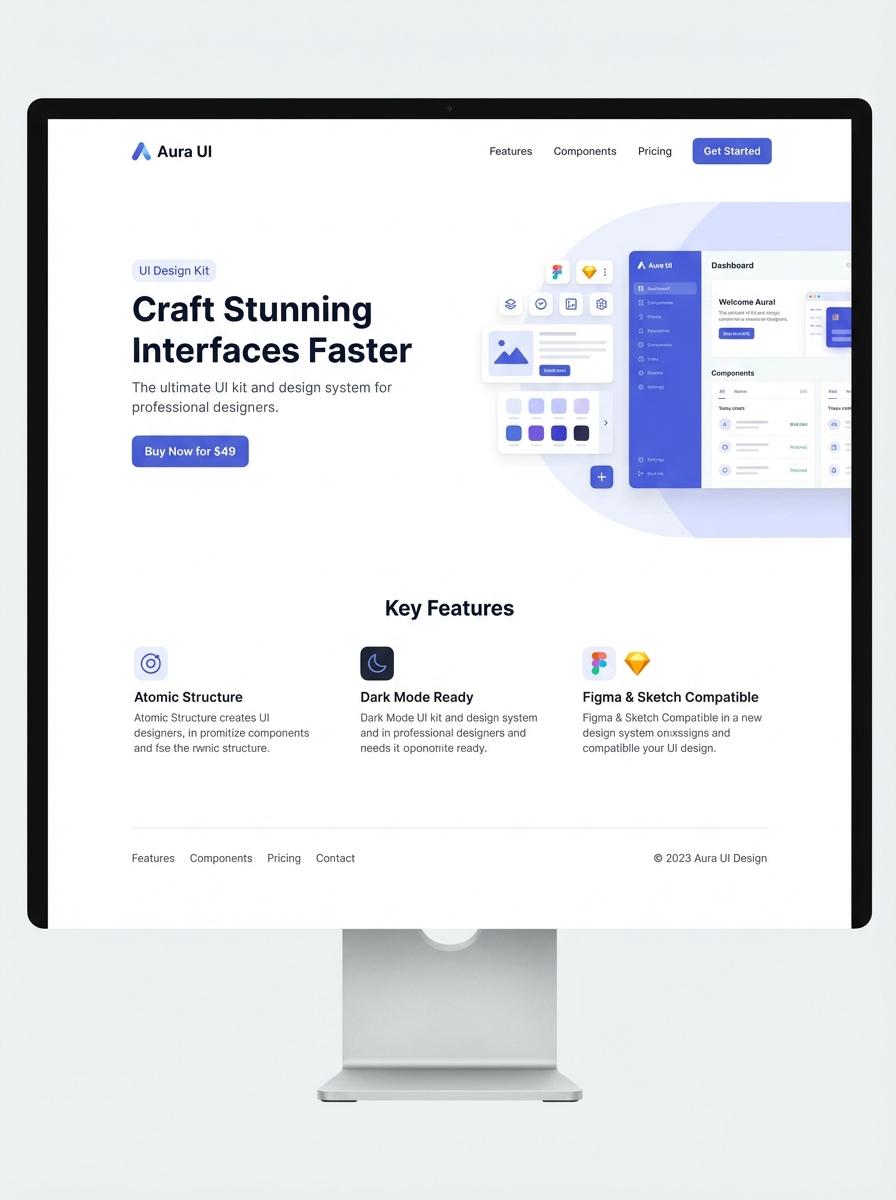
Illustration: Landing page for digital product for UI designer
Mobile app UI kits
Mobile app UI kits are essential resources that provide pre-designed components like buttons, icons, and navigation bars, enabling designers to maintain consistency across projects. These kits streamline the design process by offering scalable and customizable elements compatible with various screen sizes. A well-structured UI kit enhances usability and reduces development time by bridging design and implementation.
- Proficiency in design tools such as Sketch, Figma, or Adobe XD.
- Components must be vector-based and adaptable to different mobile resolutions.
- Include comprehensive documentation and usage guidelines for each element.
Dashboard design templates (Figma/Sketch/Adobe XD files)
Dashboard design templates offer UI designers pre-structured layouts for presenting complex data visually. These templates, available in Figma, Sketch, and Adobe XD, streamline the design process with ready-made components and interactive elements. Using these resources helps maintain consistency and improve user experience across various digital platforms.
- Skill needed: Proficiency in UI design principles and mastery of Figma, Sketch, or Adobe XD software.
- Product requirement: High-fidelity templates featuring customizable charts, widgets, and responsive grid systems.
- Specification: Compatibility with current design systems and export options for development handoff.
Icon sets for technology apps (SVG/PNG)
Creating icon sets specifically tailored for technology apps involves designing scalable SVG files and high-resolution PNGs compatible with various screen sizes and resolutions. Each icon must maintain clarity and simplicity to enhance UI/UX and ensure consistent visual language across platforms. Precision in pixel alignment and adherence to grid systems optimize usability and aesthetic appeal in digital interfaces.
- Skill needed: proficiency in vector graphic tools (e.g., Adobe Illustrator, Figma) and understanding of UI/UX principles for technology applications.
- Product requirement: provide icons in both SVG and PNG formats with multiple sizes (e.g., 16x16, 32x32, 64x64) to support responsive design.
- Specification: icons should follow a consistent style guide, including stroke width, color palette, and visual metaphor relevant to tech environments.
UX case study PDFs
A UX case study PDF showcases a designer's problem-solving process, illustrating research insights, wireframes, and final UI designs. It is crucial for UI designers to document user flows, design rationale, and measurable outcomes clearly. High-quality visuals and concise storytelling enhance the case study's impact.
- Skill needed: Proficiency in user research synthesis, wireframing, and visual storytelling.
- Product requirement: Include sections for problem statement, research findings, design process, and final UI solutions.
- Specification: Use vector graphics and ensure PDFs are optimized for easy sharing and printing without quality loss.
Interactive prototype files
Interactive prototype files enable UI designers to simulate user flows and interface interactions before development. These prototypes improve team communication and help validate design assumptions through user testing.
- Skill needed: Proficiency in design tools like Figma, Adobe XD, or Sketch for creating interactive elements.
- Product requirement: High-fidelity prototypes must include clickable buttons, transitions, and responsive layouts.
- Specification: Files should be exportable in multiple formats and support version control for collaboration.
Design system documentation (PDF/DOC)
A design system documentation provides a comprehensive guide that includes UI components, design principles, and usage rules tailored for UI designers. It ensures consistency across digital products and streamlines collaboration within design and development teams. Clear documentation enhances efficiency and reduces design-related errors.
- Skill needed: Proficiency in UI/UX design tools and strong understanding of design principles.
- Product requirement: Detailed visual examples of UI components with usage guidelines.
- Specification: Exportable formats such as PDF or DOC with organized sections, including typography, color palettes, and interaction patterns.
Website landing page templates
Creating website landing page templates requires an in-depth understanding of user interface principles and responsive web design. UI designers must focus on clean layouts, clear calls-to-action, and adaptability across devices to maximize user engagement. High usability and intuitive navigation are essential for boosting conversion rates on landing pages.
- Skills needed: Proficiency in HTML, CSS, and UI/UX design tools like Figma or Adobe XD.
- Product requirement: Templates must be fully responsive and compatible with popular CMS platforms.
- Specification: Include customizable sections for headlines, images, forms, and buttons with accessibility standards compliance.
Showcase Stunning Real-World UI Case Studies
Presenting real-world UI case studies allows potential customers to visualize your digital product in action. These case studies demonstrate practical applications and highlight the product's effectiveness. Use detailed visuals and user scenarios to create a strong connection with your audience. This approach builds credibility and shows tangible results.
Highlight Seamless User Experience Benefits
Emphasize the seamless user experience your digital product provides. Focus on how intuitive design and smooth navigation can increase user satisfaction. Clearly communicate the ease of use to reduce hesitation and boost conversions. User-friendly features are a key selling point for digital products.
Offer Exclusive Early-Bird Pricing or Bonuses
Encourage early adoption by providing exclusive early-bird pricing or bonuses. Limited-time offers create urgency and incentivize quick decisions. Include valuable bonuses that enhance the product's appeal and overall value. This strategy helps build initial momentum and a loyal customer base.
Utilize Targeted Social Media Campaigns
Leverage targeted social media campaigns to reach your ideal audience effectively. Utilize data-driven targeting to focus on demographics and interests aligned with your product. Engaging content and ads can increase brand awareness and drive traffic. Consistent social media efforts maximize your marketing impact.
Feature Authentic Customer Testimonials and Reviews
Highlighting authentic customer testimonials and reviews builds trust and authenticity. Real feedback from satisfied users validates your product's quality and benefits. Showcase diverse testimonials to address different audience concerns. Positive social proof significantly influences purchasing decisions.