
Creating a digital product for mechanical engineers in the construction sector involves developing specialized software or tools that streamline design, analysis, and project management tasks. These products enhance precision, improve collaboration, and optimize resource allocation on construction sites. By integrating industry-specific features, such as structural analysis and equipment monitoring, the digital solution addresses the unique challenges faced by mechanical engineers in construction. Explore the article for detailed ideas on crafting effective digital products tailored to this niche.
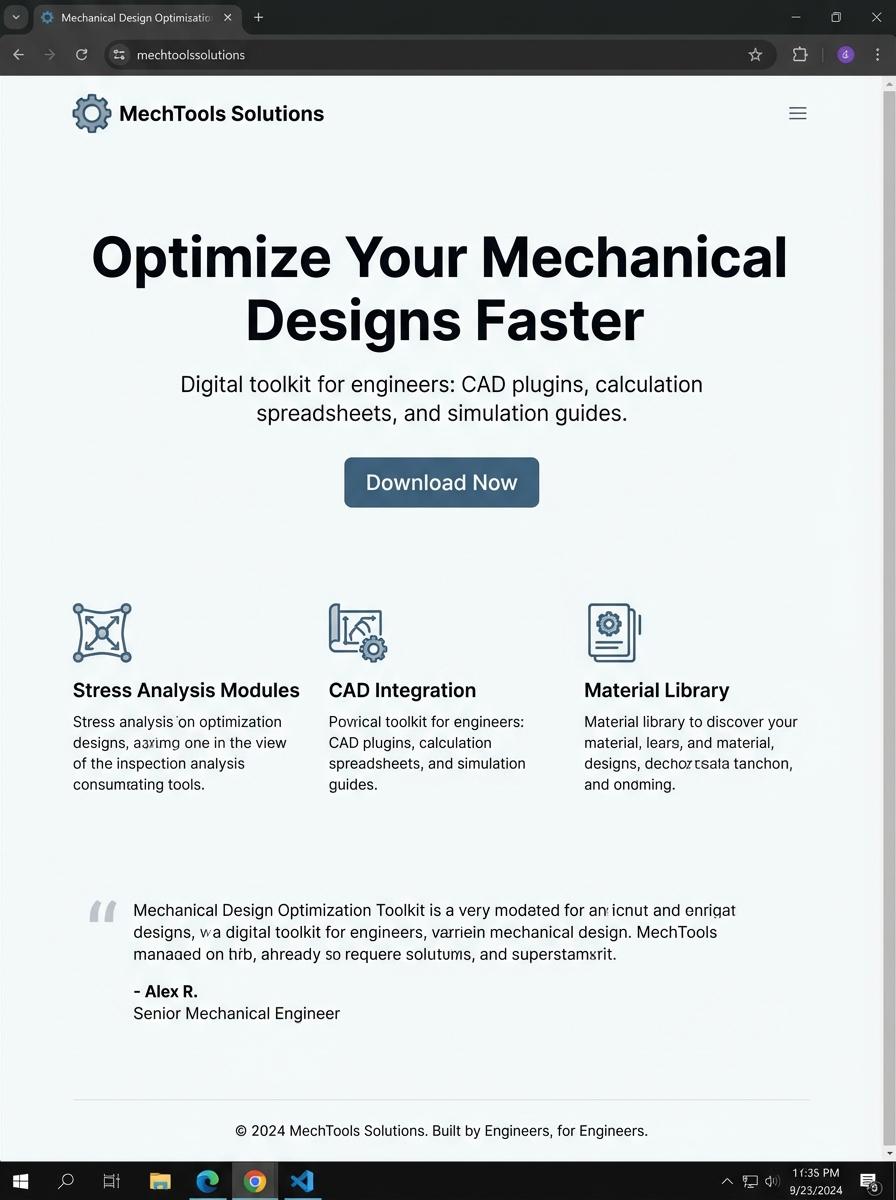
Illustration: Landing page for digital product for mechanical engineer
Structural Calculation Templates (Excel)
Mechanical engineers benefit from Structural Calculation Templates designed in Excel that streamline the analysis and design of mechanical components. These templates incorporate formulas and functions to automate calculations related to stress, load, and deformation, enhancing accuracy and efficiency. Using such digital tools supports compliance with engineering standards and facilitates rapid iteration during the design process.
- Skill needed: Proficiency in Excel formulas, VBA scripting, and mechanical engineering principles.
- Product requirement: Templates must include standardized mechanical load calculations and customizable inputs for various materials and component geometries.
- Specification: User-friendly interface with clearly labeled input fields, validation rules to prevent errors, and comprehensive documentation for use and modification.
BIM Component Libraries (Revit Family Files)
BIM Component Libraries consist of Revit Family Files tailored for mechanical engineering applications, enabling precise modeling of HVAC systems, piping, and equipment layouts. These libraries enhance project efficiency by providing standardized, parametric components compliant with industry standards. Using accurate BIM objects improves coordination across disciplines and reduces design errors.
- Skill needed: Proficiency in Revit software and understanding of mechanical systems design principles.
- Product requirement: Parametric and customizable family files reflecting real-world mechanical equipment dimensions and specifications.
- Specification: Compatibility with current Revit versions and integration capability with MEP workflows and BIM coordination platforms.
Construction Method Statements (PDF/Doc)
Creating Construction Method Statements for mechanical engineers requires detailed documentation of installation, testing, and commissioning procedures specific to mechanical systems. The statements should include safety protocols, equipment specifications, and project timeline coordination. Clear formatting in PDF or Doc format ensures easy accessibility and compliance with industry standards.
- Skill needed: Proficiency in technical writing and understanding of mechanical engineering construction processes.
- Product requirement: Templates compatible with PDF and Word document formats, allowing seamless integration of images and technical drawings.
- Specification: Inclusion of risk assessments, step-by-step workflows, and regulatory compliance details specific to mechanical installations.
3D CAD Models of Construction Elements (STEP/DWG)
Creating 3D CAD models of construction elements involves generating precise geometric representations using formats such as STEP and DWG. Mechanical engineers utilize these models to ensure accuracy in design, streamline manufacturing processes, and facilitate integration with various engineering disciplines. Detailed modeling supports simulations and validations critical for structural integrity and performance optimization.
- Proficiency in CAD software such as AutoCAD, SolidWorks, or CATIA is required to produce accurate 3D models.
- Models must comply with industry standards like ISO 10303 for STEP files and proper layering conventions in DWG files.
- Incorporate detailed dimensions, tolerances, and material specifications to support mechanical engineering requirements, including assembly and interference checks.
Site Safety Training Videos (MP4)
Site Safety Training Videos in MP4 format deliver essential mechanical engineering safety protocols through clear, visual demonstrations. These videos focus on hazard identification, risk mitigation, and compliance with industry safety standards. Tailored content ensures mechanical engineers gain practical knowledge for maintaining a safe work environment.
- Skill needed: Proficiency in mechanical engineering safety practices and familiarity with video production basics.
- Product requirement: High-definition MP4 video format with clear audio narration and graphical annotations.
- Specification: Content must cover machinery operation safety, personal protective equipment usage, and emergency procedures relevant to mechanical engineering sites.
Equipment Maintenance Checklists (Excel/PDF)
Mechanical engineers require precise and comprehensive Equipment Maintenance Checklists to ensure system reliability and safety. These checklists often include detailed inspection points, maintenance schedules, and performance benchmarks tailored for various mechanical components. Using Excel or PDF formats enhances accessibility and consistency across maintenance teams.
- Skill needed: Proficiency in Excel for creating dynamic, formula-driven checklists and knowledge of PDF formatting for standardized documentation.
- Product requirement: Checklist must support custom fields for machine types, maintenance intervals, and conditional alerts for overdue tasks.
- Specification: Format should allow easy printing and digital annotation, ensuring user-friendly navigation and clear organization of maintenance steps.
Construction Project Scheduling Templates (Excel)
Construction project scheduling templates in Excel are essential tools for mechanical engineers to efficiently plan and allocate resources during project timelines. These templates incorporate task dependencies, milestones, and resource assignments specific to mechanical systems installation. Using a digital schedule promotes clarity and timely completion of complex mechanical construction phases.
- Skill needed: Proficiency in Excel functions, formulas, and Gantt chart creation.
- Product requirement: Customizable scheduling template with mechanical engineering task categories.
- Specification: Include automated progress tracking and alert features for overdue tasks.
Streamline Engineering Workflows
To market a digital product successfully, emphasize how it streamlines engineering workflows with intuitive digital solutions. Highlight the ease and efficiency your product brings to complex processes, saving valuable time and resources. Customers are drawn to tools that simplify their daily operations and enhance productivity.
Accelerate Design Cycles
Showcase your digital product's ability to accelerate design cycles through cutting-edge automation tools. Fast design iterations help clients bring products to market quicker, a major competitive advantage. Stress how automation reduces manual errors and speeds up decision-making processes.
Enhance Product Accuracy and Consistency
Focus on how your advanced simulation software significantly enhances product accuracy and consistency. Reliable simulations help customers predict performance and avoid costly mistakes. This feature builds trust and demonstrates the technical superiority of your offering.
Seamless Integration With Leading Platforms
Promote the seamless integration capabilities with leading CAD and PLM platforms. Compatibility reduces barriers to adoption and fits smoothly into existing workflows. This interoperability increases the perceived value and ease of use for potential clients.
Boost ROI by Reducing Prototyping Time
Highlight the financial benefits by emphasizing how your product boosts ROI through reduced prototyping and testing time. Cost savings and faster development cycles appeal directly to business decision-makers. Clear evidence of return on investment is crucial for successful marketing.