
Creating a digital product suitable for Draftsmen in the Manufacturing sector requires a focus on precision, ease of use, and integration with existing CAD software. Such a product must streamline the drafting process, enhance collaboration, and support detailed technical specifications to improve overall efficiency. Incorporating real-time updates and compatibility with manufacturing workflows ensures the product meets industry demands. Explore the article to discover detailed ideas and strategies for developing this specialized digital solution.
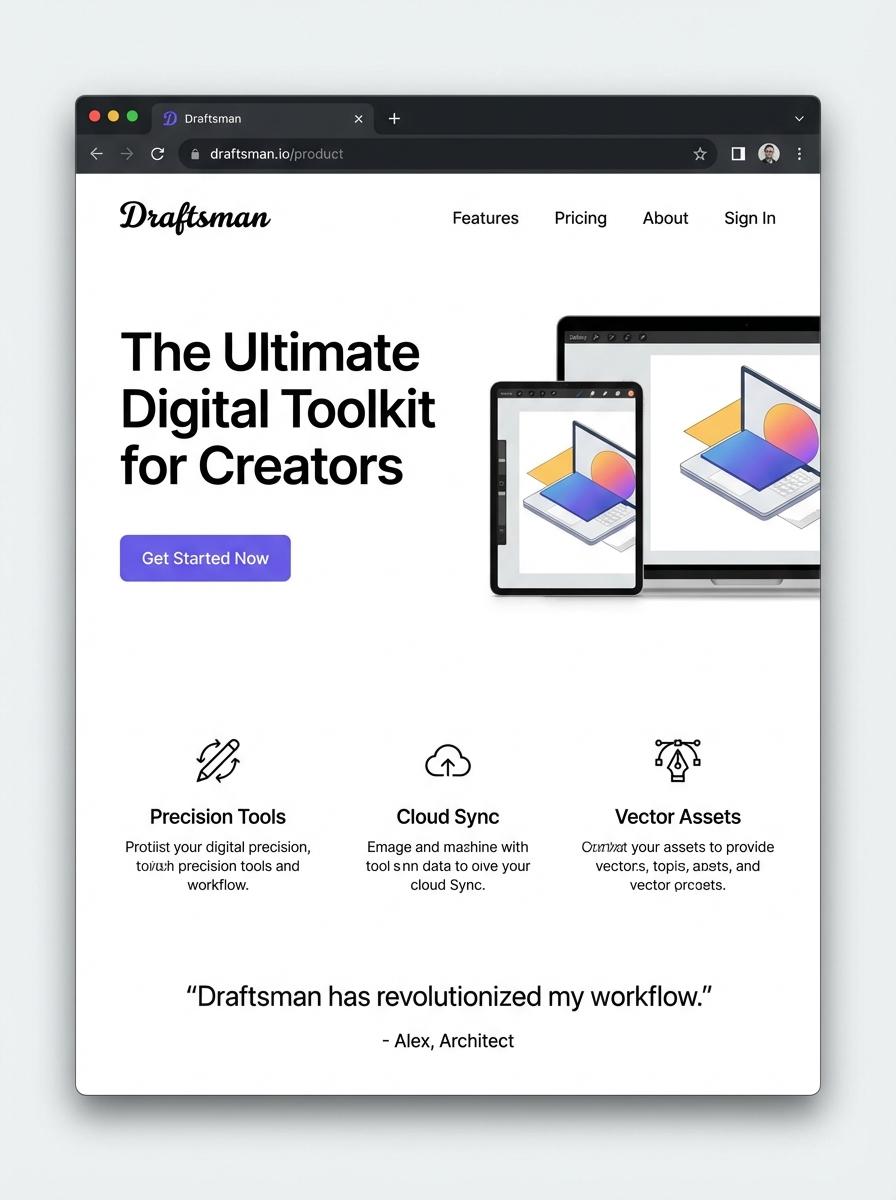
Illustration: Landing page for digital product for Draftsman
Technical Drawing Templates (PDF, DWG)
Technical Drawing Templates in PDF and DWG formats streamline the drafting process for draftsmen by providing standardized layouts and scales. These templates ensure accuracy and consistency across architectural and engineering projects. Optimized for seamless integration with CAD software, they enhance productivity and minimize errors in technical drawings.
- Skill Needed: Proficiency in CAD software such as AutoCAD or similar programs is essential for utilizing and modifying drawing templates.
- Product Requirement: Templates must be compatible with both PDF viewers and CAD applications, supporting layers and precise measurements.
- Specification: Templates should include standardized title blocks, dimension guides, and commonly used drawing scales for diverse drafting needs.
Standard Operating Procedure Manuals (PDF, DOC)
Standard Operating Procedure Manuals for draftsmen provide detailed, step-by-step guidelines to ensure consistency and accuracy in technical drawing and blueprint creation. These manuals typically include procedures for using CAD software, adherence to industry standards, and safety protocols. Clear documentation enhances workflow efficiency and minimizes errors during the drafting process.
- Skill needed: Proficiency in CAD software, understanding of technical drawing conventions, and knowledge of industry-specific standards.
- Product requirement: Manuals must include clear, illustrated steps, be available in editable PDF and DOC formats, and support easy updates.
- Specification: Ensure compatibility with common devices and software, incorporate version control, and include troubleshooting guidelines.
CAD Block Libraries (DWG, DXF)
CAD Block Libraries in DWG and DXF formats enhance drafting efficiency by providing reusable, standardized architectural and engineering components. These libraries reduce drawing time and improve accuracy for draftsmen working on complex projects. Compatibility with popular CAD software ensures seamless integration and project consistency.
- Proficiency in CAD software such as AutoCAD, including familiarity with block creation and management.
- Comprehensive collection of high-quality blocks covering architectural, mechanical, and electrical elements.
- Blocks must be fully scalable, layer-organized, and properly annotated for easy identification and modification.
BOM (Bill of Materials) Sheets (Excel)
The Bill of Materials (BOM) Sheets in Excel are essential for draftsmen to accurately list all materials, components, and assemblies required for a project. These sheets streamline the design-to-production process by ensuring precise inventory tracking and cost estimation. Properly structured BOMs improve communication between drafting teams and manufacturers, reducing errors and material wastage.
- Skill needed: Proficiency in Excel functions and formulas to automate BOM entries and calculations.
- Product requirement: Customizable templates that accommodate various project types and complexity levels.
- Specification: Integration capability with CAD software to directly import components and draft details.
Assembly Instruction Guides (PDF, Video)
Creating Assembly Instruction Guides tailored for draftsmen involves precise step-by-step documentation to ensure clarity during manufacturing or construction. These guides should combine detailed PDFs with complementary videos that demonstrate the assembly process visually. Emphasizing exact measurements, material specifications, and tool usage is essential for the draftsman to follow accurately.
- Skill Needed: Expertise in technical drawing and familiarity with mechanical components.
- Product Requirement: High-resolution annotated PDFs with interactive elements.
- Specification: Clear and concise video tutorials synchronized with PDF steps, optimized for various devices.
3D Model Files (STEP, STL)
Creating 3D model files such as STEP and STL involves precise geometric design suitable for drafting purposes. These files must maintain dimensional accuracy and compatibility with various CAD and CAM software to ensure seamless integration. File purity and details directly influence manufacturability and assembly quality for draftsmen.
- Proficiency in CAD software and understanding of 3D modeling principles.
- Output formats must include STEP for parametric modeling and STL for 3D printing.
- Requirements include high accuracy, clean geometry, and adherence to drafting standards.
Manufacturing Process Flowcharts (PDF, DOC)
Manufacturing process flowcharts are essential visual tools that outline the step-by-step procedures involved in production. For draftsmen, these flowcharts provide precise, standardized documentation to improve communication and product quality. Using formats like PDF and DOC ensures compatibility and ease of sharing among engineering teams and stakeholders.
- Skill needed: Proficiency in technical drawing and understanding of manufacturing workflows.
- Product requirement: Clear, detailed symbols and labels representing each manufacturing step.
- Specification: Deliverables must be editable DOC files and universally accessible PDF versions.
Targeted Social Media Advertising for Design Professionals
Utilize targeted social media advertising to reach design professionals who are most likely to benefit from your digital product. Platforms like LinkedIn and Instagram offer precise targeting based on job titles and industry, ensuring your ads attract the right audience. Craft engaging content that highlights how your product meets their unique needs. Consistently analyzing ad performance helps optimize your campaigns for better ROI.
SEO-Optimized Content Showcasing Drafting Software Benefits
Develop SEO-optimized content focused on the key benefits of your drafting software to enhance organic visibility. Use relevant keywords such as "drafting productivity tools" and "design workflow efficiency" to attract search traffic. Well-written articles, tutorials, and case studies will demonstrate how your product solves common industry challenges. This strategy builds trust and drives targeted prospects to your website.
Free Trial or Demo for Drafting Productivity Tools
Offering a free trial or demo allows potential users to experience firsthand how your drafting productivity tools streamline their workflow. This lowers the barrier to entry and provides tangible value before purchase decisions. Ensure the trial is easy to access and highlights key features. A seamless onboarding process improves user engagement and boosts conversion rates.
User Testimonials from Architecture and Engineering Sectors
Leverage user testimonials from professionals in architecture and engineering to build credibility and demonstrate product effectiveness. Authentic reviews showcase real-world success stories and validate your value proposition. Highlight specific improvements users have achieved in drafting efficiency. These testimonials serve as powerful social proof, influencing potential buyers positively.
Value Proposition: Streamline Drafting Workflow Efficiently
Clearly communicate your product's value proposition by emphasizing how it streamlines drafting workflows efficiently. Focus on time-saving features, ease of use, and integration capabilities that enhance productivity. Position your software as an essential tool that simplifies complex design tasks. A compelling value proposition distinguishes your product in a competitive market.