
Creating a digital product tailored for CNC programmers in the manufacturing sector involves understanding the unique challenges and workflows of precision machining. This product should streamline complex programming tasks, enhance accuracy, and optimize production efficiency. Integrating features like simulation, error detection, and customizable tool libraries can significantly improve the programmer's productivity. Explore the detailed ideas in the article to learn how to develop such a solution effectively.
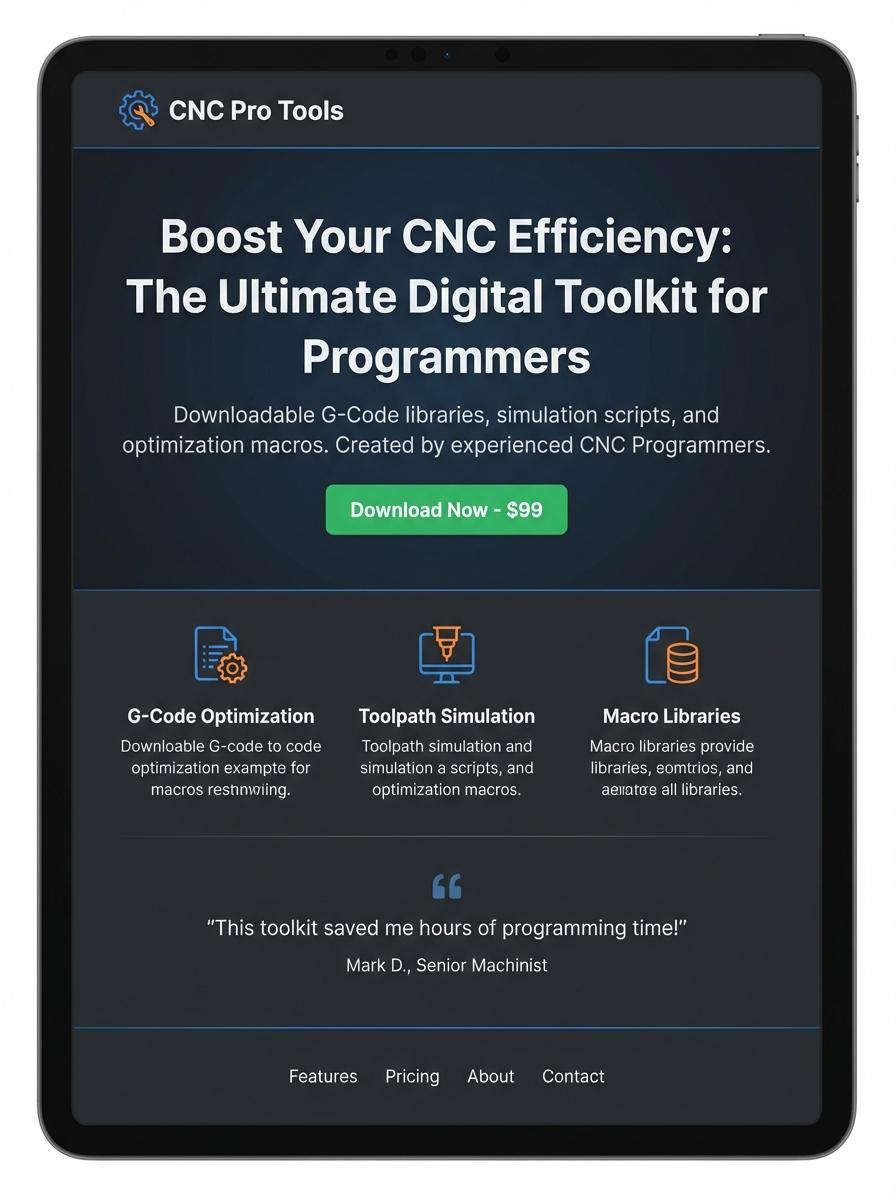
Illustration: Landing page for digital product for CNC Programmer
CNC Machine G-code Templates
Creating CNC Machine G-code Templates streamlines the programming process for CNC machinery, enabling precise and efficient tool paths. Templates reduce repetitive coding efforts while maintaining consistent output quality. Customizable parameters within the templates allow adaptation to diverse machining projects and materials.
- Skill needed: Proficient knowledge of G-code language and CNC machine operations.
- Product requirement: Templates must support various CNC machine models and post-processors.
- Specification: Include adjustable parameters for spindle speed, feed rate, and tool changes.
CNC Programming Training Videos
CNC programming training videos offer comprehensive guidance on G-code, M-code, and machine operation tailored for CNC programmers. These videos enhance practical skills by demonstrating troubleshooting, toolpath optimization, and machine setup. Learners gain proficiency in programming various CNC machines such as mills and lathes through detailed visual instruction.
- Skill needed: Understanding of CNC machine operation and familiarity with G-code syntax.
- Product requirement: High-resolution videos with clear annotated code examples and machine footage.
- Specification: Include modules for different CNC machinery types and post-processing techniques.
CNC Simulation Projects (e.g., 3D simulators)
The development of CNC Simulation Projects, such as 3D simulators, involves creating virtual environments that replicate real CNC machining processes. These tools help CNC programmers visualize tool paths, detect potential errors, and optimize machining efficiency before actual production. Accurate simulation enhances precision and reduces material waste, ensuring higher productivity on the shop floor.
- Skill needed: Proficiency in CNC programming languages (G-code, M-code) and 3D modeling software.
- Product requirement: Realistic physics engine to simulate cutting forces and tool-material interaction.
- Specification: Support for multiple CNC machines and customizable post-processors for different brands.
Custom Toolpath Macros
Custom Toolpath Macros allow CNC programmers to automate complex machining processes, improving both precision and efficiency on the shop floor. By integrating adaptable code snippets, these macros optimize routing strategies and reduce cycle times for various materials. Mastery of CNC programming languages such as G-code is essential to effectively implement these macros in custom tooling applications.
- Skill Needed: Proficiency in CNC programming including G-code and macro programming capabilities.
- Product Requirement: The software must support customizable macro development and seamless integration with CNC machines.
- Specification: Macros should be adaptable to various toolpath strategies and compatible with multiple machine configurations.
CNC Setup and Inspection Checklists (PDF)
The CNC Setup and Inspection Checklists are essential tools designed for CNC programmers to ensure precise machine setup and comprehensive quality inspection. These checklists help in minimizing errors during the CNC machining process by providing a systematic approach to verify critical parameters like tool alignment, machine calibration, and material specifications. Regular use of these checklists enhances production efficiency and maintains compliance with manufacturing standards.
- Skill Needed: Proficiency in CNC machine programming and understanding of machining processes.
- Product Requirement: Clear, well-structured, and printable PDF format for ease of use on shop floors.
- Specification: Include detailed inspection points such as tool offsets, spindle speed verification, and safety checks.
Editable CNC Job Sheet Templates (Excel/Doc)
Editable CNC Job Sheet Templates tailored for CNC programmers simplify job tracking and ensure precise documentation of machine parameters and tool settings. These templates integrate comprehensive fields for job details, material specifications, and quality checks, facilitating streamlined communication between the programming and production teams. Using Excel or Word formats ensures compatibility across various systems and easy customization to fit specific shop floor requirements.
- Skills needed: proficiency in Excel and Word, understanding of CNC machine operations, and knowledge of manufacturing workflow documentation.
- Product requirement: customizable fields for machine settings, tool lists, job timings, and material specs must be included in the templates.
- Specification: templates should be compatible with Microsoft Office, support easy editing, printable formats, and allow for digital tracking or updates.
Machine Maintenance Schedules (Excel/PDF)
The Machine Maintenance Schedules in Excel or PDF format are essential tools for CNC programmers to ensure optimal machine performance and reduce downtime. These schedules provide detailed timelines for regular checks, lubrication, calibration, and replacement of parts specific to CNC machinery. Consistent adherence to these maintenance timelines enhances precision and prolongs equipment lifespan.
- Skill needed: Proficiency in CNC machine operation and understanding of mechanical and software components.
- Product requirement: Editable Excel templates with predefined maintenance tasks and alert systems for upcoming services.
- Specification: PDF export feature for easy distribution and printable maintenance checklists tailored to CNC machines.
Streamline CNC Programming Workflow with Automation Tools
Utilizing automation tools significantly simplifies the CNC programming process, reducing manual input and minimizing errors. Integrating these tools into your marketing strategy highlights your product's ability to save time and increase reliability. Emphasize how automation drives efficiency and supports scalable production workflows. This focused messaging resonates well with manufacturers seeking innovative digital solutions.
Increase Machining Efficiency Through AI-Powered Code Optimization
Promoting AI-powered code optimization positions your digital product as a cutting-edge solution that enhances machining speed and accuracy. Showcase how AI algorithms fine-tune G-code to reduce cycle times and improve surface quality. Highlight benefits like cost savings and competitive advantage to appeal to decision-makers. Clear communication of AI's impact on productivity is key to successful marketing.
Boost Productivity with User-Friendly G-code Editors
Marketing a user-friendly G-code editor emphasizes ease of use and accessibility for CNC programmers of all skill levels. Focus on intuitive interfaces and customizable features that streamline code creation and modification. Demonstrate how your product decreases programming time while maintaining high output quality. This approach attracts a broad audience by addressing common usability challenges.
Enhance Precision and Reduce Errors in CNC Manufacturing
Highlighting your digital product's ability to enhance precision and reduce errors reassures customers of improved manufacturing outcomes. Emphasize features like real-time error detection and correction capabilities that prevent costly mistakes. Position your solution as essential for maintaining consistent quality and minimizing waste. This message strengthens trust and credibility in competitive markets.
Accelerate Training for Programmers with Interactive Simulation Software
Interactive simulation software accelerates the learning curve for CNC programmers by providing hands-on virtual training. Stress the advantage of safe, realistic practice environments that build confidence and proficiency quickly. Feature how simulation reduces dependence on physical machines, lowering training costs. This highlights your product's role in workforce development and operational efficiency.