
Creating a digital product suitable for technicians in the healthcare sector requires a deep understanding of both technical workflows and clinical environments. Such products must seamlessly integrate with existing healthcare systems while enhancing efficiency and accuracy in medical procedures and diagnostics. Prioritizing user-friendly interfaces and real-time data access ensures technicians can perform their duties with confidence and precision. Explore the article to discover detailed strategies for designing impactful digital tools tailored specifically for healthcare technicians.
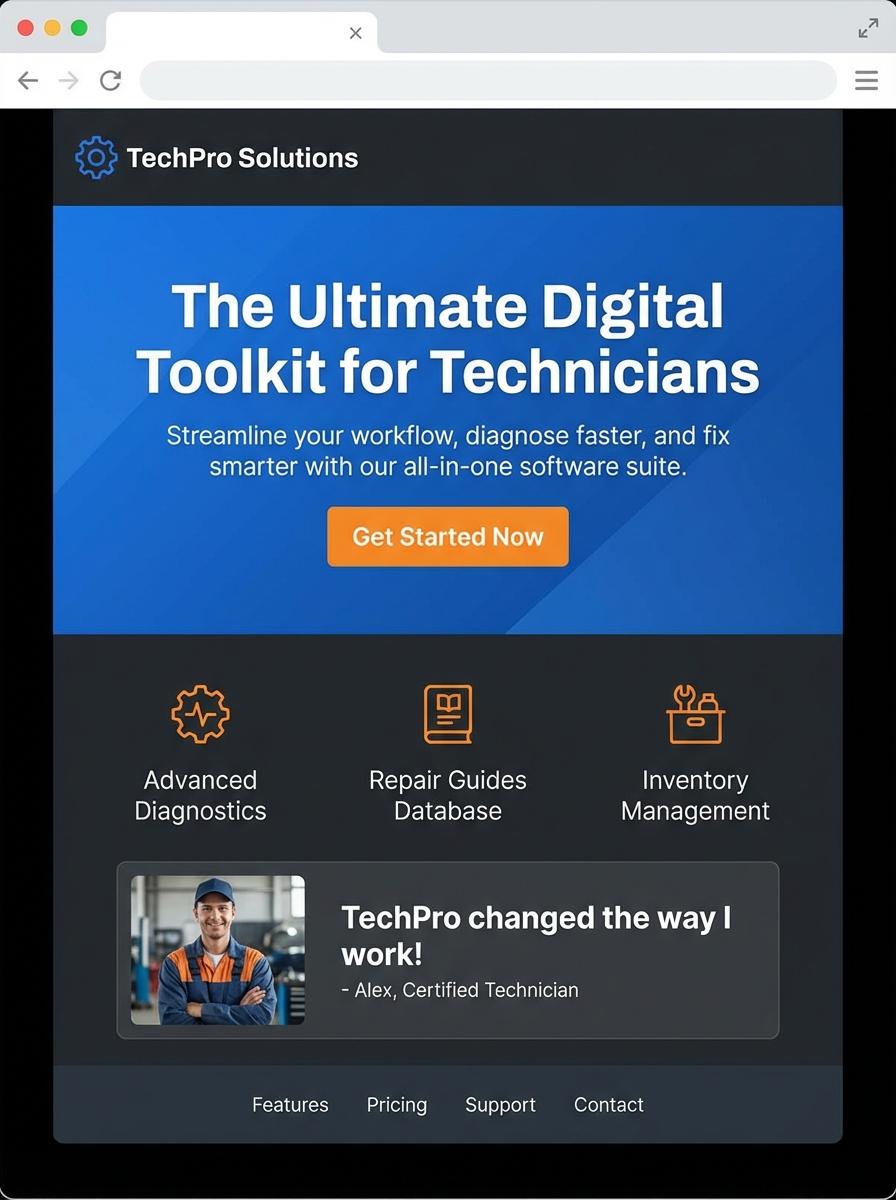
Illustration: Landing page for digital product for Technician
Medical Equipment Maintenance Checklist (Excel/PDF)
The Medical Equipment Maintenance Checklist is designed to guide technicians through systematic inspection and servicing procedures. This checklist ensures all critical components of medical devices are evaluated regularly to maintain safety and functionality. Proper documentation supports compliance with healthcare regulations and enhances equipment longevity.
- Skills Needed: Understanding of medical device operation, troubleshooting abilities, and familiarity with healthcare safety standards.
- Product Requirements: Clear categorization of equipment types, step-by-step maintenance tasks, and space for technician notes.
- Specifications: Exportable formats including Excel for editable use, and PDF for secure, printable distribution.
Troubleshooting Guide for Common Diagnostic Machines (PDF)
Technicians rely heavily on comprehensive Troubleshooting Guides for efficient repair and maintenance of common diagnostic machines. These guides must include detailed error codes, step-by-step diagnostic procedures, and safety protocols tailored to various models. Access to accurate, up-to-date information minimizes downtime and improves repair accuracy.
- Skill Needed: Proficiency in reading technical manuals, interpreting error codes, and hands-on experience with diagnostic equipment.
- Product Requirement: Clear layout with hyperlinked sections for quick navigation and printable PDF format for field use.
- Specification: Include model-specific troubleshooting steps, visual aids such as diagrams, and regularly updated safety warnings.
Preventive Maintenance Scheduling Template (Excel)
A Preventive Maintenance Scheduling Template in Excel is designed to help technicians plan, track, and manage routine equipment maintenance efficiently. This template enables clear scheduling of maintenance tasks, ensuring timely inspections and reducing equipment downtime. It supports detailed logging of maintenance activities, technician assignments, and task statuses.
- Skill needed: Proficiency in Excel functions including formulas, conditional formatting, and data validation.
- Product requirement: Template must allow input of equipment details, maintenance intervals, and technician assignments.
- Specification: Include automated alerts for upcoming maintenance dates and a dashboard summarizing maintenance status.
Video Tutorial: Safe Handling of Medical Devices (Video)
The Video Tutorial: Safe Handling of Medical Devices provides essential training for technicians, emphasizing proper techniques to ensure patient safety and device longevity. It covers device sterilization, correct operational procedures, and protocols for troubleshooting common mechanical issues. This multimedia resource supports compliance with healthcare regulations and enhances technical proficiency.
- Skill Needed: Knowledge of medical device functionality, sterilization methods, and safety protocols.
- Product Requirement: High-definition video quality with clear visual demonstration and expert narration.
- Specification: Interactive elements such as quizzes and practical scenario simulations included.
Calibration Record Log Sheet (Excel)
The Calibration Record Log Sheet in Excel is essential for technicians to document and track measurement instrument calibrations systematically. This tool enhances accuracy by maintaining detailed records of calibration dates, results, and next due dates. It supports compliance with industry standards and improves maintenance scheduling efficiency.
- Skill needed: Proficiency in Microsoft Excel, familiarity with calibration procedures, and basic data entry accuracy.
- Product requirement: Template should include fields for instrument details, calibration date, technician name, calibration results, and next calibration due date.
- Specification: Must support easy data sorting, formula integration for due date calculation, and printable format for record keeping.
Healthcare Facility Asset Inventory Template (Excel)
Technicians require an efficient system to manage and track all assets within a healthcare facility, ensuring timely maintenance and minimizing downtime. A Healthcare Facility Asset Inventory Template in Excel facilitates accurate recording of equipment details, including serial numbers, locations, and maintenance schedules. This template supports streamlined workflows, enhancing operational efficiency and compliance with regulatory standards.
- Skills needed: Proficiency in Excel, understanding of healthcare equipment types, knowledge of asset management principles.
- Product requirement: User-friendly interface, predefined fields for asset attributes, capability to filter and sort inventory data.
- Specification: Compatibility with Excel 2016 or later, dropdown menus for asset categories, built-in formulas for tracking maintenance dates and asset status.
Standard Operating Procedure for Biomedical Equipment (Doc/PDF)
The Standard Operating Procedure for Biomedical Equipment is a crucial document designed to guide technicians in the proper use, maintenance, and troubleshooting of medical devices. It ensures compliance with safety standards and enhances the longevity and reliability of biomedical equipment. Clear, step-by-step instructions help reduce operational errors and improve healthcare outcomes.
- Skill needed: Proficiency in biomedical equipment handling and basic technical troubleshooting.
- Product requirement: Document must be available in both Doc and PDF formats for ease of access and printing.
- Specification: Instructions should be clear, concise, and include safety protocols specific to each type of equipment.
Targeted Solution for Industry-Specific Problems
Creating a targeted solution that addresses specific challenges within an industry is crucial for marketing a digital product effectively. Understand the unique pain points and tailor your messaging to demonstrate how your product solves these issues. This approach builds trust and relevance with your target audience. Industry-specific solutions set your product apart from generic competitors.
Seamless Integration with Existing Tools
Ensure your digital product offers seamless integration with the tools your customers already use. Compatibility reduces friction and enhances user experience, making adoption easier. Highlighting integration capabilities in your marketing can persuade decision-makers who prioritize efficiency. A product that fits effortlessly into workflows adds significant value.
Real-time Technical Support & Updates
Offering real-time technical support and timely updates increases customer confidence and satisfaction. Promoting these services reassures potential buyers that they will receive ongoing help and improvements. Reliable support is a key selling point in competitive markets. Consistent updates keep your product relevant and secure over time.
User-Friendly Interface Designed for Technicians
Focus on developing a user-friendly interface specifically tailored for technicians who will use the product daily. An intuitive design minimizes training time and reduces user errors. Highlight ease of use as a core feature in your marketing to attract technical users. A well-designed interface enhances overall product adoption and retention.
Proven ROI and Performance Case Studies
Showcase proven ROI and detailed performance case studies to build credibility and persuade prospects. Concrete evidence of your product's impact provides a compelling reason to invest. Use quantitative data and positive client testimonials to strengthen your message. Demonstrating results drives confidence and supports higher conversion rates.