
Creating a digital product suitable for kitchen managers in the Food and Beverage sector requires a deep understanding of their daily challenges, such as inventory management, staff coordination, and recipe standardization. The product should streamline operations, improve communication, and enhance efficiency to meet the fast-paced demands of a commercial kitchen. Leveraging technology to simplify these tasks can significantly boost productivity and reduce errors. Explore the detailed ideas in the article to learn how to develop an effective digital solution tailored to kitchen managers.
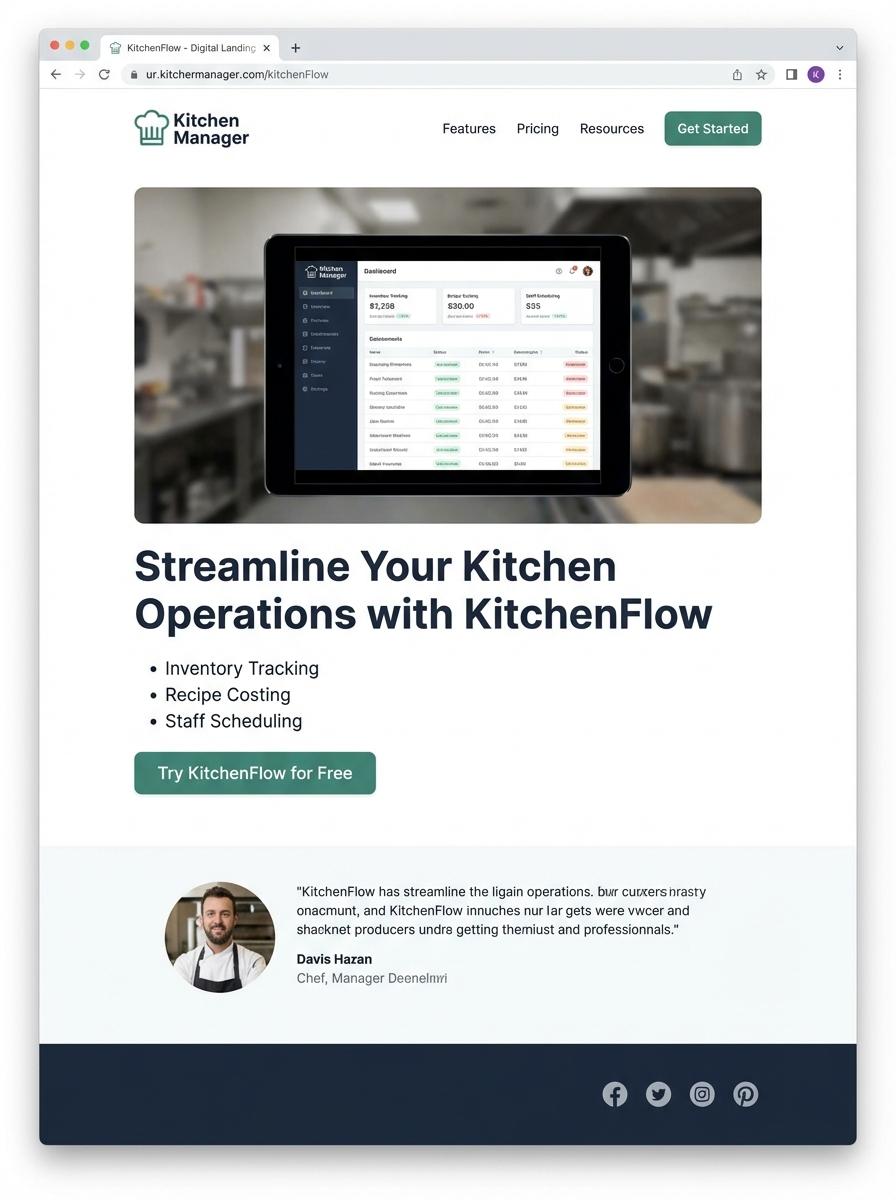
Illustration: Landing page for digital product for Kitchen manager
Weekly Meal Prep Plan Templates (Excel, PDF)
Weekly Meal Prep Plan Templates designed for kitchen managers streamline meal planning, inventory tracking, and workforce management. These templates accommodate various dietary requirements, portion sizes, and ingredient availability. Implementing these tools enhances kitchen efficiency and reduces food waste.
- Skill Needed: Proficiency in Excel for data entry, formula creation, and template customization.
- Product Requirement: Templates must include editable meal schedules, ingredient lists, and nutritional information in both Excel and PDF formats.
- Specification: Responsive design compatible with desktop and mobile devices to facilitate on-the-go access in fast-paced kitchen environments.
Standard Recipe Cards (PDF, DOC)
Standard Recipe Cards in PDF and DOC formats provide kitchen managers with a consistent and flexible tool for recipe documentation and sharing. These cards ensure clarity in ingredient measurements, preparation steps, and cooking times, aiding in efficient kitchen operations. Utilizing editable formats supports quick updates and customization to meet menu changes and dietary requirements.
- Skill needed: Proficiency in document editing software such as Microsoft Word and PDF editors to customize and update recipe cards effectively.
- Product requirement: Templates must be designed for easy readability and include sections for ingredients, quantities, preparation instructions, and cooking times.
- Specification: Digital cards should be printable in standard sizes (e.g., 4x6 inches) and compatible with common kitchen printers for physical copy production.
Food Cost Calculation Spreadsheets (Excel)
Food cost calculation spreadsheets in Excel are essential tools for kitchen managers aiming to control inventory expenses and maximize profit margins. These spreadsheets help analyze ingredient costs, monitor portion sizes, and calculate menu pricing accurately. Implementing automated formulas reduces human error and saves time in financial planning.
- Skill needed: Proficiency in Excel formulas, data analysis, and basic accounting principles.
- Product requirement: Customizable templates allowing input of ingredient prices, quantities, and waste percentages.
- Specification: Integration with inventory management data and the ability to generate cost reports by recipe or time period.
Kitchen Inventory Management Templates (Excel)
Kitchen managers require efficient tools to maintain accurate records of stock levels, track expiration dates, and manage reorder schedules. A Kitchen Inventory Management Template in Excel simplifies these tasks by providing customizable spreadsheets tailored to culinary inventory needs. This digital product enhances operational efficiency by organizing data systematically for quick access and analysis.
- Skill needed: Proficiency in Microsoft Excel, including formulas, data validation, and pivot tables.
- Product requirement: Customizable templates capable of tracking ingredient quantities, supplier details, and expiration dates.
- Specification: User-friendly interface with automated alerts and reporting features for inventory updates and stock replenishment.
Training Video for Staff (Video)
Creating a Training Video for Kitchen Managers requires a focus on clear, concise instructional content that enhances operational efficiency and safety standards. The video should demonstrate key kitchen management tasks such as inventory control, team coordination, and compliance with health regulations. Visual and audio components must be optimized for ease of understanding and retention by diverse staff members.
- Skill Needed: Expertise in kitchen operations and instructional design to create engaging and accurate training material.
- Product Requirement: High-quality video resolution with clear audio narration and subtitles for accessibility.
- Specification: The video must cover standard operating procedures, emergency protocols, and leadership techniques relevant to kitchen management.
Cleaning and Sanitation Checklists (PDF)
Creating Cleaning and Sanitation Checklists in PDF format ensures kitchen managers maintain health standards and comply with food safety regulations. These checklists organize tasks, track cleaning frequencies, and assign responsibilities to staff efficiently. They reduce contamination risks by providing clear, standardized procedures for sanitation routines in commercial kitchens.
- Skill needed: Knowledge of HACCP principles and kitchen hygiene standards.
- Product requirement: Editable PDF format with interactive checkboxes for real-time updates.
- Specification: Categorized tasks by cleaning zones and frequency (daily, weekly, monthly) with space for signature verification.
Allergen Information Sheets (PDF, DOC)
Allergen Information Sheets are essential documents designed to provide clear and precise data about potential allergens in food products, tailored specifically for kitchen managers. These sheets must include a detailed list of ingredients alongside standardized allergen identifiers such as gluten, nuts, dairy, and shellfish. Ensuring accuracy and compliance with food safety regulations is crucial for protecting customers and maintaining kitchen hygiene standards.
- Skill Needed: Proficiency in food safety regulations and allergen management.
- Product Requirement: Easily editable formats like PDF and DOC to facilitate quick updates and distribution.
- Specification: Clear labeling with consistent allergen icons and a user-friendly layout for quick reference during food preparation.
Streamline Kitchen Operations with Intuitive Digital Tools
Implementing intuitive digital tools can significantly simplify kitchen operations, allowing staff to focus on delivering quality service. These tools are designed to reduce manual processes and enhance efficiency in a fast-paced environment. By adopting user-centered solutions, kitchens can maintain smooth workflows and minimize errors. This approach not only saves time but also improves overall operational management.
Real-time Inventory Tracking for Zero Waste
Utilizing real-time inventory tracking systems helps kitchens minimize waste by providing accurate, up-to-date stock information. This enables managers to make informed purchasing decisions and reduce surplus. The technology ensures that perishable items are used effectively and expiration issues are avoided. Ultimately, this fosters a sustainable and cost-effective inventory management strategy.
User-friendly Interface Designed for Busy Kitchen Managers
A user-friendly interface tailored for kitchen managers ensures quick access to essential features without a steep learning curve. Busy professionals benefit from streamlined navigation and clear displays that facilitate decision-making under pressure. This design focus enhances adoption rates and decreases training time. It empowers managers to oversee operations with confidence and ease.
Boost Team Productivity with Smart Task Automation
Smart task automation tools help optimize team productivity by automating routine activities such as order tracking and shift scheduling. This allows staff to concentrate on critical responsibilities that require human intervention. Automation reduces errors and accelerates communication within the team. The result is a more coordinated and efficient kitchen environment.
Seamless Integration with Popular POS and Ordering Systems
Ensuring seamless integration with widely-used POS and ordering platforms maximizes operational synergy and data consistency. This connectivity enables smoother order processing and faster transaction handling. Integrations reduce manual data entry and reconcile discrepancies automatically. Such interoperability enhances the overall customer experience and streamlines business operations.