
Creating a digital product suitable for instructors in the education sector involves designing user-friendly tools that enhance teaching efficiency and student engagement. These products often incorporate interactive features, seamless content management, and real-time performance tracking to support diverse learning environments. Accessibility and adaptability are crucial to meet various educational needs and technological proficiencies. Explore the detailed ideas in the article to discover effective strategies for developing impactful digital solutions for educators.
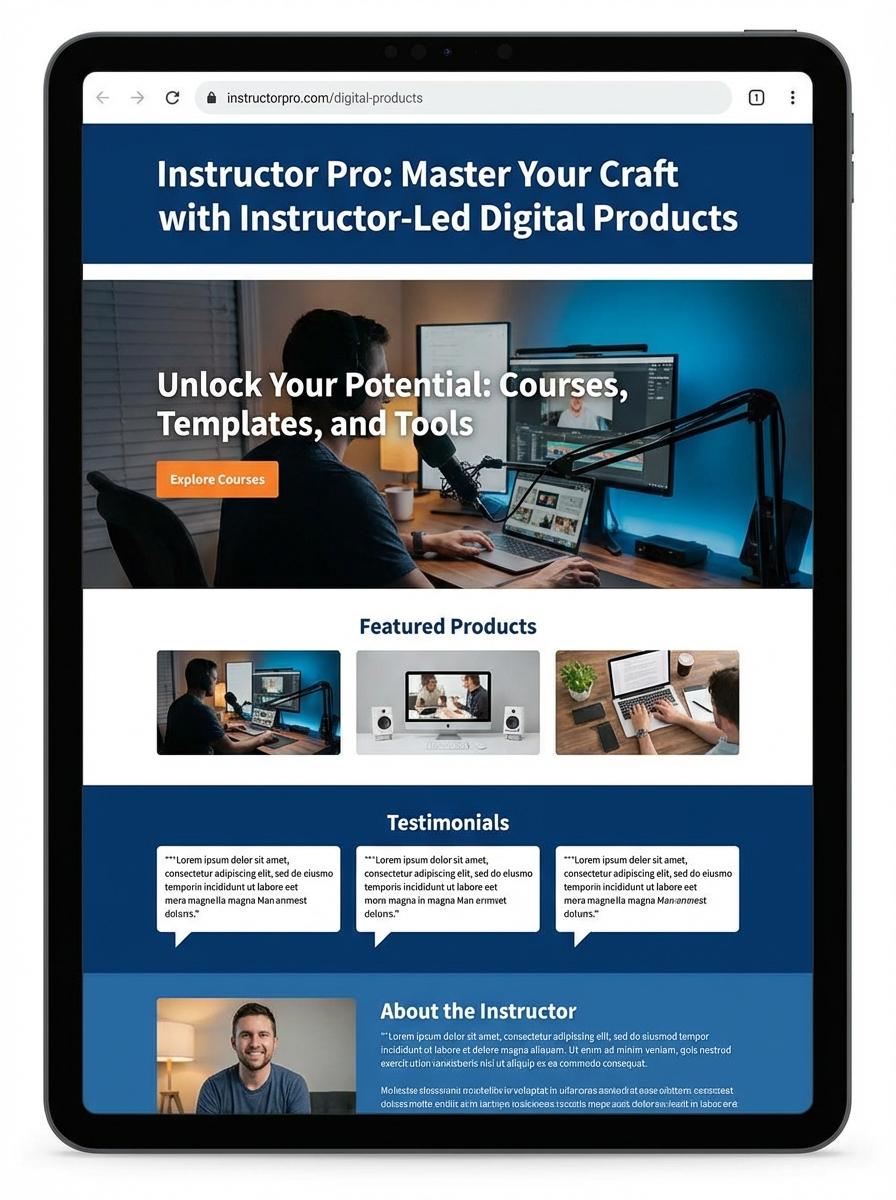
Illustration: Landing page for digital product for Instructor
Lesson Plan Templates (PDF, DOC)
Instructors require efficient tools to organize and present their course content clearly. Lesson plan templates in PDF and DOC formats offer structured layouts that facilitate consistent lesson delivery and ease of customization. These templates support diverse teaching methods by accommodating various content types and instructional strategies.
- Skill needed: Proficiency in using word processing software such as Microsoft Word and PDF editors for template customization.
- Product requirement: Templates must be compatible with multiple devices and allow easy editing without formatting loss.
- Specification: Clear sections for objectives, materials, procedures, assessments, and reflection to ensure comprehensive planning.
Curriculum Guides (PDF, DOC)
Developing Curriculum Guides for instructors demands clear alignment with learning objectives and standardized educational outcomes. These guides must include adaptable content to support diverse teaching methods and student needs. Comprehensive formatting in both PDF and DOC ensures accessibility and ease of use across different platforms.
- Skill needed: Expertise in instructional design and educational standards alignment.
- Product requirement: Exportable formats including PDF for stable viewing and DOC for customizable editing.
- Specification: Incorporate modular sections with clear headings, objectives, and assessment criteria for streamlined teaching preparation.
Educational Worksheets (PDF, DOC, Excel)
Instructors require well-designed educational worksheets available in multiple formats such as PDF, DOC, and Excel to cater to diverse learning preferences and ease of distribution. These worksheets should support various educational objectives including assessment, practice, and concept reinforcement. Effective design integrates clarity, adaptability, and alignment with curriculum standards.
- Skills Needed: Proficiency in instructional design, content creation, and basic software tools (Adobe Acrobat, Microsoft Word, Excel).
- Product Requirements: Multi-format compatibility (PDF for printing, DOC for editing, Excel for interactive data-driven tasks).
- Specifications: Accessibility features, clear layout with readable typography, and inclusion of answer keys or guidance notes.
Interactive Quizzes (Excel, PDF)
Creating Interactive Quizzes in Excel and PDF formats enhances the learning experience by enabling dynamic engagement and immediate feedback. These quizzes support various question types such as multiple-choice, true/false, and short answer, which help instructors assess student comprehension effectively. Properly designed interactive quizzes also facilitate easy grading and performance tracking through embedded formulas or automated responses.
- Skill needed: Proficiency in Excel functions, VBA scripting, or PDF form fields creation for interactivity implementation.
- Product requirement: Compatibility with common spreadsheet software and PDF readers, ensuring user-friendly navigation and input.
- Specification: Support for instant feedback mechanisms and auto-grading capability to streamline instructor review.
Instructional Videos (MP4)
Creating Instructional Videos (MP4) for instructors involves clear step-by-step content that enhances learner comprehension. Videos must be high-resolution, ensuring visual clarity on all devices. Audio quality is essential for effective communication of instructions and minimizing background noise.
- Skill needed: Expertise in video editing and instructional design tailored for educational content.
- Product requirement: HD video quality with synchronized audio and closed captions for accessibility.
- Specification: MP4 format using H.264 codec, optimized for streaming on multiple platforms.
Presentation Slides (PPT, PDF)
Creating digital presentation slides such as PPT or PDF for instructors demands clarity, engaging visuals, and organized content tailored to the educational objectives. Slide decks should enhance the learning experience by incorporating multimedia elements while maintaining accessibility for diverse audiences. Precise alignment with curriculum goals ensures the material is both instructive and memorable.
- Skill needed: Expertise in instructional design and proficiency with presentation software (e.g., PowerPoint, Keynote).
- Product requirement: Slides must include clear headings, bullet points, and visual aids that support key teaching points.
- Specification: Export options for PPT and PDF formats, ensuring full compatibility and ease of sharing across platforms.
eBooks or Study Guides (PDF, ePub)
Instructors creating digital educational materials like eBooks or Study Guides must focus on clear content structure and compatibility with formats such as PDF and ePub. Ensuring accessibility features, such as text-to-speech and adjustable fonts, enhances usability for diverse learners. Incorporation of interactive elements can support engagement and effective knowledge retention.
- Skill needed: Proficiency in instructional design and digital formatting tools (e.g., Adobe InDesign, Calibre).
- Product requirement: Compatibility with common eReaders and mobile devices, supporting PDF and ePub formats.
- Specification: Inclusion of metadata and proper tagging for navigation and accessibility compliance (e.g., WCAG standards).
Targeted Audience Engagement for Educators
Engaging the right audience is essential for marketing a digital product effectively. Educators should focus on understanding their audience's needs, preferences, and challenges to tailor content that resonates. Use interactive tools such as webinars, quizzes, and discussion forums to keep educators actively involved. Personalized communication enhances engagement and boosts conversion rates.
Compelling Value Proposition for Instructors
A strong value proposition clearly communicates the unique benefits your digital product offers instructors. Highlight how your product solves specific problems, saves time, or enhances teaching effectiveness. Use clear, concise messaging that addresses instructors' pain points directly. Demonstrating tangible outcomes builds interest and motivates purchase decisions.
Optimized Multi-Channel Promotion Strategy
Utilize an optimized multi-channel approach to reach educators where they are most active online. Combine social media, email marketing, content marketing, and educational forums to maximize visibility. Tailor messaging for each platform to improve relevance and engagement. Consistent branding and targeted ads increase traffic and conversions.
Trust-Building Social Proof and Testimonials
Social proof plays a critical role in establishing trust with potential buyers. Showcase testimonials, case studies, and user reviews from respected educators to validate your product's effectiveness. Authentic success stories help reduce buyer hesitation and reinforce credibility. Display endorsements prominently on sales pages and marketing materials.
Continuous Feedback Loop for Product Improvement
Maintaining a continuous feedback loop with educators ensures your digital product evolves to meet user needs. Collect feedback through surveys, user interviews, and analytics to identify areas for enhancement. Implementing improvements based on real input increases user satisfaction and loyalty. This proactive approach fosters long-term success and positive word-of-mouth.