
Creating a digital product suitable for educators requires understanding the unique challenges and needs within the education sector. The solution must enhance teaching effectiveness, facilitate student engagement, and integrate seamlessly with existing educational tools. Prioritizing user-friendly design and accessibility ensures that educators can easily adopt technology into their workflows. Explore the detailed ideas in the article to learn how to develop impactful digital products tailored for educators.
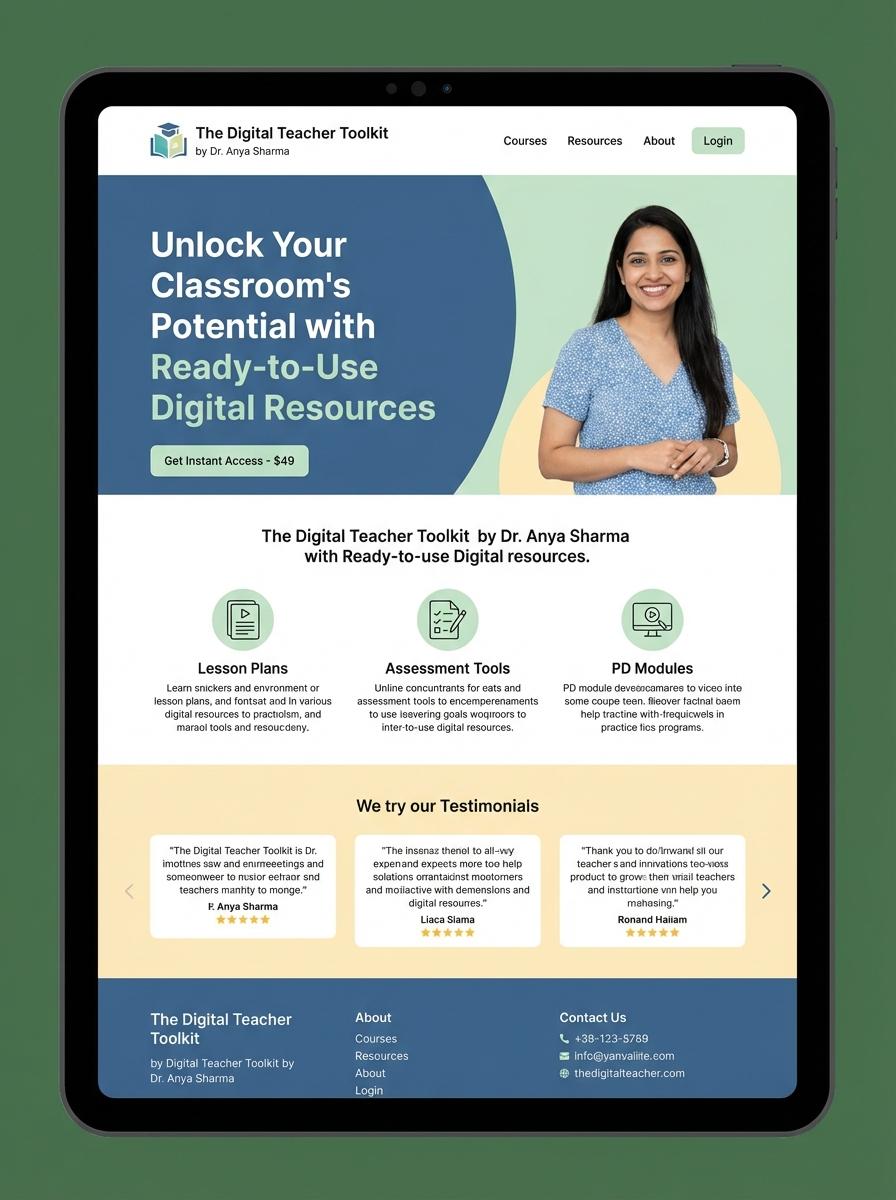
Illustration: Landing page for digital product for educator
Lesson Plans (PDF, DOC)
Creating effective Lesson Plans as digital products requires organizing clear objectives, engaging activities, and assessment methods tailored for educators. Lesson plans in PDF and DOC formats ensure compatibility and ease of distribution across various devices and platforms. Structured content supports teachers in delivering consistent and impactful instruction aligned with curriculum standards.
- Skill needed: Curriculum design and instructional planning tailored for diverse learning needs.
- Product requirement: Formats must include editable DOC files and universally accessible PDF files.
- Specification: Include clearly defined learning objectives, step-by-step lesson activities, and assessment criteria.
Interactive Worksheets (PDF, Excel)
Interactive worksheets in PDF and Excel formats enhance educators' ability to engage students through dynamic content. These digital products support instant feedback, adaptable question types, and data tracking for personalized learning paths. Educators benefit from streamlined assessment and improved student participation via interactive elements.
- Skill needed: Proficiency in PDF form creation and Excel formula functions for interactivity.
- Product requirement: Compatibility with common educational platforms and easy integration into lesson plans.
- Specification: Included features such as auto-grading, fillable fields, and progress tracking functionalities.
Educational eBooks (PDF, ePub)
Creating educational eBooks in formats such as PDF and ePub requires a focus on clarity, interactivity, and accessibility to enhance the learning experience for educators and their students. These digital books must support multimedia integration, adaptive layouts, and compatibility across various devices. Attention to metadata and structured content ensures the eBooks are easily searchable and usable in academic settings.
- Skills Needed: Expertise in digital publishing tools, understanding of educational pedagogy, and proficiency in content structuring and formatting.
- Product Requirement: Support for multiple file formats (PDF, ePub), responsive design, and inclusion of interactive elements like quizzes and hyperlinks.
- Specification: Compliance with accessibility standards (WCAG), metadata enrichment for discoverability, and compatibility with common eReader devices and software.
Video Lectures (MP4, MOV)
Creating video lectures involves recording high-quality educational content in formats such as MP4 or MOV. Educators should focus on clarity of audio and visuals to enhance students' learning experiences. Proper editing ensures that concepts are presented concisely and effectively.
- Skill needed: Proficiency in video recording and editing software.
- Product requirement: Support for HD video resolution and clear audio capture.
- Specification: Output files in widely compatible formats like MP4 or MOV.
Assessment Quizzes (PDF, Excel)
Assessment quizzes in formats like PDF and Excel provide educators with versatile tools for evaluating student performance. These digital products facilitate easy distribution, automated grading, and data analysis to enhance learning outcomes. Customizable templates enable educators to tailor quizzes to diverse subjects and difficulty levels efficiently.
- Skill Needed: Proficiency in quiz design, knowledge of educational assessment principles, and basic graphic design skills to create clear, engaging questions.
- Product Requirement: Quizzes must be compatible across multiple devices and platforms, ensuring accessibility and ease of use.
- Specification: Include editable fields in PDFs and built-in formulas in Excel for automatic scoring and performance tracking.
Curriculum Guides (PDF, DOC)
Creating Curriculum Guides in PDF or DOC format enables educators to deliver structured and accessible teaching content. These guides should incorporate clear learning objectives, assessment criteria, and adaptable lesson plans tailored to diverse classroom needs. High-quality digital curriculum resources enhance instructional consistency and support differentiated learning strategies.
- Skills needed: Subject matter expertise, instructional design, proficiency in PDF/DOC formatting tools.
- Product requirements: Editable templates, compatibility with common word processors, clear indexing and navigation features.
- Specifications: Printable format, file size optimization for easy sharing, inclusion of multimedia links or QR codes if applicable.
Presentation Slides (PPT, PDF)
Creating presentation slides in PPT or PDF format enhances educational content delivery by organizing information visually and textually. Effective slides incorporate clear headings, concise bullet points, and relevant images to maintain student engagement and facilitate comprehension. Well-designed digital presentations support diverse learning styles and improve retention of complex subjects.
- Skill needed: Proficiency in slide design tools (Microsoft PowerPoint, Google Slides) and understanding of visual hierarchy principles.
- Product requirement: Compatibility with common platforms and formats including PPT and PDF for easy sharing and printing.
- Specification: Inclusion of accessible features such as readable fonts, alt text for images, and well-structured layouts for clarity.
Empower Educators with User-Friendly Digital Tools
To succeed in marketing a digital product, focus on creating tools that are intuitive and easy to use. Educators are more likely to adopt technology that requires minimal training and effort. Prioritize simplicity without compromising functionality to maximize user satisfaction. This builds trust and increases product adoption among teaching professionals.
Seamless Integration into Existing Teaching Workflows
Ensure your product integrates smoothly with current educational systems and platforms. Compatibility with popular learning management systems enhances ease of use. This reduces resistance to change and fosters a more natural incorporation into daily routines. Seamless integration is a key factor in successful digital product marketing.
Enhance Student Engagement and Learning Outcomes
Marketing efforts should highlight how your digital product improves student engagement and academic performance. Interactive features and personalized learning paths make the product stand out. Demonstrating measurable learning benefits attracts educators and institutions alike. Effective marketing connects the product's value to tangible educational results.
Robust Support and Continuous Product Updates
Provide reliable customer support and regularly update your product to maintain a competitive edge. Ongoing improvements respond to user feedback and evolving educational needs. Commitment to support strengthens customer loyalty and builds a positive reputation. Continuous innovation is essential for sustainable success in the digital marketplace.
Affordable, Scalable Solutions for All Educational Levels
Offer pricing models that accommodate various budgets and institutional sizes, making your product accessible to all education levels. Scalability ensures the product grows with the needs of schools and districts. Affordable solutions expand your target market and increase adoption rates. Highlighting cost-effectiveness is crucial in marketing educational digital products.